


Developing BIM Projects in Revit: A Smarter Way to Design and Build
- ROMAN MASLOV
- Apr 29, 2025
- 2 min read

Updated: Aug 21, 2025
In today’s fast-evolving AEC (Architecture, Engineering, and Construction) industry, Building Information Modeling (BIM) is no longer optional—it’s essential. At the heart of many successful BIM workflows is Autodesk Revit, a powerful tool that enables integrated, intelligent design from concept through construction. But developing BIM projects in Revit is more than just working in 3D—it’s about collaboration, precision, and smart project delivery.

Why Revit?
Revit was built specifically for BIM. Unlike traditional CAD tools, Revit allows architects, engineers, and contractors to work on a single, coordinated model. Every view, schedule, and sheet is a live representation of the data-rich model, which ensures consistency and reduces errors throughout the project lifecycle.
Our Approach to Revit-Based BIM Development
At CUBICAE, we use Revit to develop BIM models that are not only visually accurate but also packed with the data needed for real-world execution. Here’s how we approach each project:
• Multidisciplinary Integration: We create coordinated models that include architecture, structure, and MEP systems. This minimizes clashes and streamlines design decisions.
• Detail-Oriented Modeling: From schematic design to construction documentation, we model with intent—capturing everything from material specs to spatial relationships.
• Automation and Efficiency: We leverage Revit’s parametric capabilities and custom families to automate repetitive tasks, maintain consistency, and save time.
• Collaboration and Cloud Tools: Using tools like BIM 360 or Autodesk Construction Cloud, we collaborate in real time with project stakeholders, ensuring everyone stays aligned.
The Benefits of Revit-Based BIM
• Greater Accuracy: The live connection between model elements reduces discrepancies and improves documentation quality.
• Improved Coordination: Clash detection and linked models help catch issues early, before they become costly.
• Faster Turnaround: Revit speeds up design changes and updates across the entire project set.
• Better Decision Making: With data-rich models, clients and consultants can make more informed choices at every stage.
Real-World Results
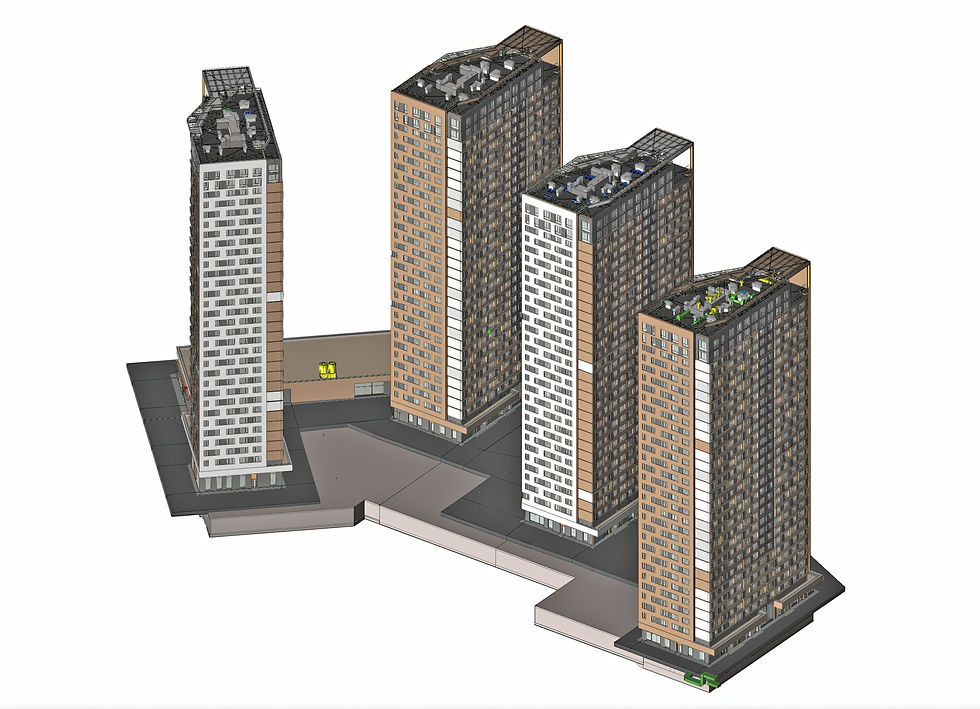
We’ve delivered Revit-based BIM solutions for a wide range of projects—from high-rise buildings and mixed-use developments to complex renovations and infrastructure designs. Each project has benefited from the clarity, collaboration, and control that BIM in Revit provides.
Ready to Take Your Project to the Next Level?
If you’re planning a new architectural or engineering project and want to explore how BIM in Revit can streamline your process, we’d love to talk. Let’s build smarter, together.


Comments